
Description
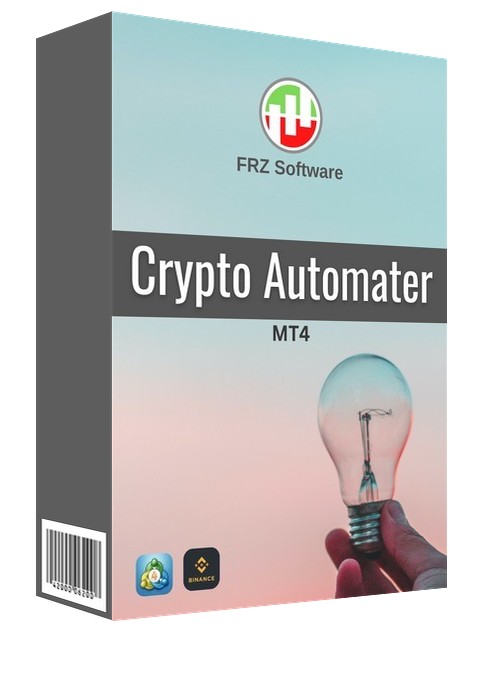
FRZ Crypto Automater MT4 – Indicator Based Crypto Trading Tool
FRZ Crypto Automater MT4 is an MT4 expert adviser (EA) tool that can create, back-test, and automate indicator-based trading strategies on crypto exchanges (currently Binance). It is done by copying the trades entered by MT4 platform to the Binance trading platform via its API access. The EA can be used to trade on the Binance Spot or Futures market based on signals from one or more MT4 indicators along with many other filters you can use to improve the accuracy of your strategy. The good thing is you can back-test your strategy on MT4 before you deploy it on Binance.
Supported Pairs: Any MT4 crypto pair that has a corresponding pair on Binance
Video Tutorial
Note on the risks on price differences on MT4 & Binance: The EA will enter trades on Binance based on your MT4 broker’s chart prices; however, the prices on Binance (especially Futures) may be different from your MT4 broker’s prices. This difference can be significant if you trade on small timeframes (like M1 & M5) or with too small take profit and stop loss levels. Therefore it is better to have an MT4 broker that has minimum price differences from Binance; we can recommended ICMarkets as a broker but still price differences are unavoidable.
Key features:
- Trade based on indicator buffer signals or objects
- Filter signal indicator with a second indicator
- Optional exit indicator
- Additional entry filters: MA line filter & choppy market filter
- Optional Martingale
- Dollar Cost Averaging (DCA) with 2 entry types
Set Files
We provide 4 set files for several common trading patterns. Set files are not customized for your indicator but they provide background settings for each given scenario. You need to add your indicators buffers/object details before you can use these set files. All set files use ATR based stop loss/take profit which you can disable under Setting 29. Set files use spot trading and if you want to trade futures, please enable setting 2. Also set files use 0.01 lot size on MT4 and a Binance ratio of 0.1 which you can adjust on Setting 26 & 6.
We recommend you try one of the first two set file templates and compare the results with your own custom setups before deciding on the one to be used. Please make sure that you back test your strategy on MT4 strategy tester for at least few years in to the past before connecting with Binance.
1.Default – Entry Optimizing (DCA) Based on Opposite Signal
This is a simple DCA (Dollar Cost Averaging) setup where a trade is triggered whenever a signal is generated by your indicator/s with virtual TP (as set by Setting 27 or 31). There is no stop loss used; instead, the EA will add new positions (with partial martingale, which you can adjust on Setting 58) in the same direction at each new signal generated by your indicator/s. The virtual TP will be adjusted based on the average price whenever a new trade is added. Once the average TP is reached, all the positions will be closed.
2.Entry Optimizing (DCA) Based on Stop Loss
This is also a DCA (Dollar Cost Averaging) method. The only difference from the previous one is how the new positions are added. Under this DCA method, new positions are added at each stop loss level as defined by setting 27 or 30. Everything else would be same as the first set file.
3.One Trade Per Signal with TP & SL
This is a simple setup where a trade is triggered whenever a signal is generated by your indicator/s with dynamic stop loss (SL) & take profit (TP) based on ATR (Average True Range). TP & SL are both 1x ATR. You can only use this method if your indicator/s has a good win rate. There will be only one trade per signal with TP/SL.
4.Signal to Signal Trading
This is a signal to signal trading template with no TP & SL. Trade is entered when a signal is given by your indicator/s. Once a trade is entered, it will be only closed by the next opposite signal and a new trade will be created in the new direction. So there will be an active trade all the time. This method is often not profitable and not recommend without detailed testing on MT4.
NB: All above set file settings can be adjusted/customized as per your liking; please read this user manual relating to the subject setting number before making changes.
EA Specs
| Product name | FRZ Crypto Automater |
| Platform supported | MT4 |
| Supported crypto exchange | Currently Binance only. Both Spot & Futures trading are supported with Entry TP & SL.
NB: Breakeven, trailing stop, and other advanced functions are not yet supported. |
| Time frames supported | Any (Price differences might affect smaller timeframes) |
| Supported Binance functions | Entering and closing trades with take profit & stop loss levels. |
| Supported pairs | Any MT4 crypto pair that has a corresponding pair on Binance. |
| Current version | 13.0 |
NB: Please read the user manual given for a complete guide on how to install and use the Automater
Automation based on the indicator buffers
Indicator buffers are given under the colors tab of the indicator. Buffers generally have numbers and corresponding colors. These colors represent some kind of drawing on the chart which can be an arrow signal, trend line, or anything else.
If your indicator has indicator buffers, that can signal when to buy and sell, then you can use this option. All you have to do is to map the right buffer numbers to buy and sell signals.
There are 03 types of indicators you can automate with buffers
Type 1 – Indicators generating arrows or similar signs such as thumb up/down, dots, etc. for buying and selling.
Type 2 – Indicators with one or two lines or histograms that change colors as per up or down trend.
Type 3 – Indicators with two lines where buy or sell is determined by the cross-over.
Recommended Broker & VPS
We recommend using a low-spread broker and a reliable VPS.
- Recommended Broker: IC Markets. If ICMarkets not available in your country, please use IC Trading.
- Recommended VPS Provider: Contabo VPS.
You may contact us on live chat in case you need any support in this regard.
Licensing, Updates
Our software is licensed based on your trading account number.
Each license is linked to one trading account at a time.
✔ One-time payment = This is a one-time payment. Not a subscriptions.
✔ One license = Unlimited non-simultaneous accounts
✔ Free license transfer to new accounts online
✔ Only simultaneous usage requires multiple licenses
This means even with a single license, you can use the software on unlimited accounts (one at a time) without extra cost.
Initial licensing is handled manually. All future transfers are done via our self-service portal.
You may check out our full License Policy for more details.
Refund Policy
We offer refunds in accordance with our refund policy. You may check out our refund conditions before purchasing.
Support & Updates
All paid customers receive:
✔ Access to detailed user manuals
✔ Free remote installation support for first installation (within 30 days)
✔ General live chat and email ticket support
✔ Free lifetime updates (as per policy)
You may check out our full Support Policy for more details.
Risk Disclaimer
Trading in financial markets involves substantial risk and may not be suitable for all investors. Our software is provided “as is” without any guarantee of profit. You are advised to test thoroughly on demo accounts before trading live. Please review our full terms and conditions before purchasing.


Sonny J –
So far it works good. I can back test and automate crypto strategies now !
ForexRobotz –
Glad it helped!