
Description
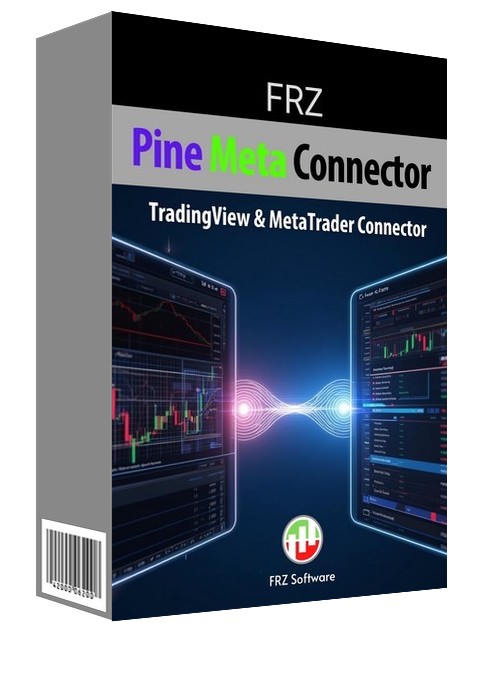
FRZ Pine Meta Connector for MT4 & MT5 – Automatic TradingView to MetaTrader Bridge
FRZ Pine Meta Connector turns your TradingView alerts into real trades in MetaTrader 4 and MetaTrader 5. Any Pine Script strategy or indicator alert can open market or pending orders, set stop loss and take profit, and close or cancel trades on your MT4/MT5 account within seconds – no manual copying.
Alerts are sent from TradingView to the secure FRZ server with your personal API key. The EA on your MetaTrader account collects each signal, executes it at your broker and reports the result back, so every signal is executed once per account and you can always see what happened to it.
Whether you run your own strategy, a signal service or several accounts, the Pine Meta Connector gives you a reliable, structured TradingView to MetaTrader integration.
Installation & Live Testing Video
(This video is from an older version – always consider the written user manual as the updated guide.)
How the Pine Meta Connector Works
- Your TradingView strategy or indicator triggers an alert.
- The alert sends a short JSON message (with your API key) to the FRZ server’s webhook.
- The FRZ Pine Meta Connector EA on your MT4/MT5 account collects the signal within seconds.
- The EA places, modifies or closes the trade at your broker and reports the result.
Supported actions:
- Market Buy / Sell
- Buy Limit, Sell Limit, Buy Stop, Sell Stop (pending orders)
- Stop loss and take profit in pips, as exact prices, or as a risk:reward multiple
- Lot size from the alert or from the EA settings
- Close all trades, close one symbol, close buys or sells only, close by magic number
- Cancel all pending orders or the pending orders of one symbol
Example – Market Buy:
{
"apiKey": "YOUR_API_KEY",
"symbol": "{{ticker}}",
"action": "buy"
}
Example – Sell with SL/TP in pips:
{
"apiKey": "YOUR_API_KEY",
"symbol": "EURUSD",
"action": "sell",
"sl": 20,
"tp": 40
}
This enables a fully automated TradingView to MetaTrader bridge.
User Manual & Setup Guide
Please refer to the full documentation for detailed setup instructions and all JSON alert formats.
User Manual of FRZ Pine Meta Connector
Key Features
• TradingView to MT4 and MT5 automated execution
• Signals collected within seconds, even on quiet charts
• Every signal executed once per account, with its result reported back
• Old signals are ignored, so a terminal that was offline never opens late trades
• Market and pending orders, SL/TP in pips, prices or risk:reward
• Close and cancel commands that affect only the EA’s own trades by default
• Automatic broker symbol suffix detection plus a symbol mapping setting (e.g. XAUUSD = GOLD)
• Lot size rounded to your broker’s limits, with an alert lot multiplier
• Optional ATR trailing stop per trade
• On-chart status panel showing the connection and the last signal result
• Secure personal API key authentication
• Works with any TradingView strategy or indicator and any broker
Who This Tool Is For
- Traders who build or follow strategies on TradingView but trade on MT4 or MT5
- Pine Script developers who want their strategy alerts executed automatically
- Signal providers who want their TradingView signals executed on their own accounts
The connector does not create trading signals itself – it executes the alerts you send from TradingView.
Installation & Setup
- Copy the EA file into your MT4 (MQL4/Experts) or MT5 (MQL5/Experts) folder.
- Enable Algo Trading/AutoTrading and allow WebRequest for http://167.86.99.208 and https://frzserver.com.
- Attach the EA to one chart and paste your API key into the inputs.
- In TradingView, create an alert with the webhook URL http://167.86.99.208/webhook and a JSON message.
- Activate the alert and check the result on the EA’s on-chart panel.
Refer to the user manual for full setup details.
Technical Specifications
| Item | Details |
|---|---|
| Product Name | FRZ Pine Meta Connector |
| Platforms Supported | MT4 & MT5 (MT5 hedging and netting accounts) |
| Timeframes | Any |
| Trading Pairs | Any symbol your broker offers (forex, metals, indices, crypto) |
| Broker Compatibility | Any |
| TradingView Requirement | A TradingView plan with webhook alerts |
For detailed specifications, refer to the User Manual.
Live Performance & Testing
The connector itself does not generate trades. It executes alerts received from TradingView.
We strongly recommend:
-
Testing on demo accounts first
-
Validating JSON formatting
-
Testing webhook connectivity
-
Checking broker execution speed
Automation accuracy depends on alert precision, internet stability, and broker execution quality.
Licensing, Updates & Refund Policy
Our software is licensed based on your trading account number.
Each license is linked to one trading account at a time.
✔ One-time payment = This is a one-time payment. Not a subscriptions.
✔ One license = Unlimited non-simultaneous accounts
✔ Free license transfer to new accounts online
✔ Only simultaneous usage requires multiple licenses
This means even with a single license, you can use the software on unlimited accounts (one at a time) without extra cost.
Initial licensing is handled manually. All future transfers are done via our self-service portal.
You may check out our full License Policy for more details.
Support Policy
All paid customers receive:
✔ Free lifetime updates
✔ Access to detailed user manuals
✔ Free remote installation support for first installation
✔ AI-based technical support
✔ General live chat and email ticket support
✔ Discord user forum support
You may check out our full Support Policy for more details.
Risk Disclaimer
Trading in financial markets involves substantial risk and may not be suitable for all investors. Our software is provided “as is” without any guarantee of profit. You are advised to test thoroughly on demo accounts before trading live. Please review our full terms and conditions before purchasing.



Kasin J –
This is a handy tool for those who want to automate tradingview alerts
Rajesh –
Works as expected. Hope it will support Ninja trader soon…
Daniel J –
Very satisfied with this purchase. Its cheap one-time payment compared to other fancy platforms who offer subscriptions. It worked seamlessly and now I can automate my tradingview indicators .
Olivia Senitelo –
Worked well with my tradingview indicator.
Chris K –
Not bad at all. Worked as intended. Worth the one time fee.