
Description
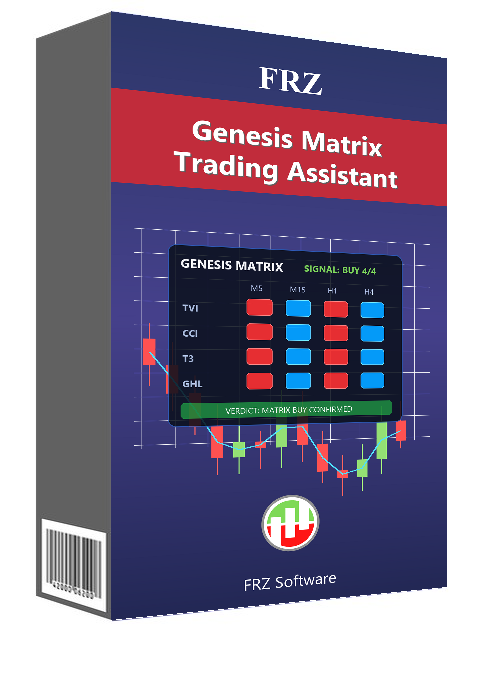
Genesis Matrix for MT4 & MT5 – Free Genesis Scalping System Trading Assistant
FRZ Genesis Matrix Trading Assistant brings the popular Genesis Matrix scalping system, originally shared by traders on the Forex Factory forum, into one free tool for MT4 and MT5. Instead of loading a template and a folder of separate indicators, you attach one file and get the whole system on your chart.
The heart of Genesis is the matrix: four indicators – TVI, CCI, T3 and Gann HiLo – that must all point the same way before a trade is considered. The assistant shows the matrix on four timeframes at once, reads the signal from the next higher timeframe (the well-known “5-15” method on an M5 chart), and checks the Genesis filters for you: the Stochastic on both timeframes, the Heiken Ashi candle against the 5 EMA, the trading session and how much of the daily range is already used. When everything lines up, the panel says BUY SETUP or SELL SETUP, an arrow marks the candle and an alert can pop up.
You stay in control: the assistant never trades by itself. One click on Genesis Buy or Genesis Sell opens the trade with the system’s stop loss beyond the last swing and the take profit at the next daily pivot.
Video & Screenshots
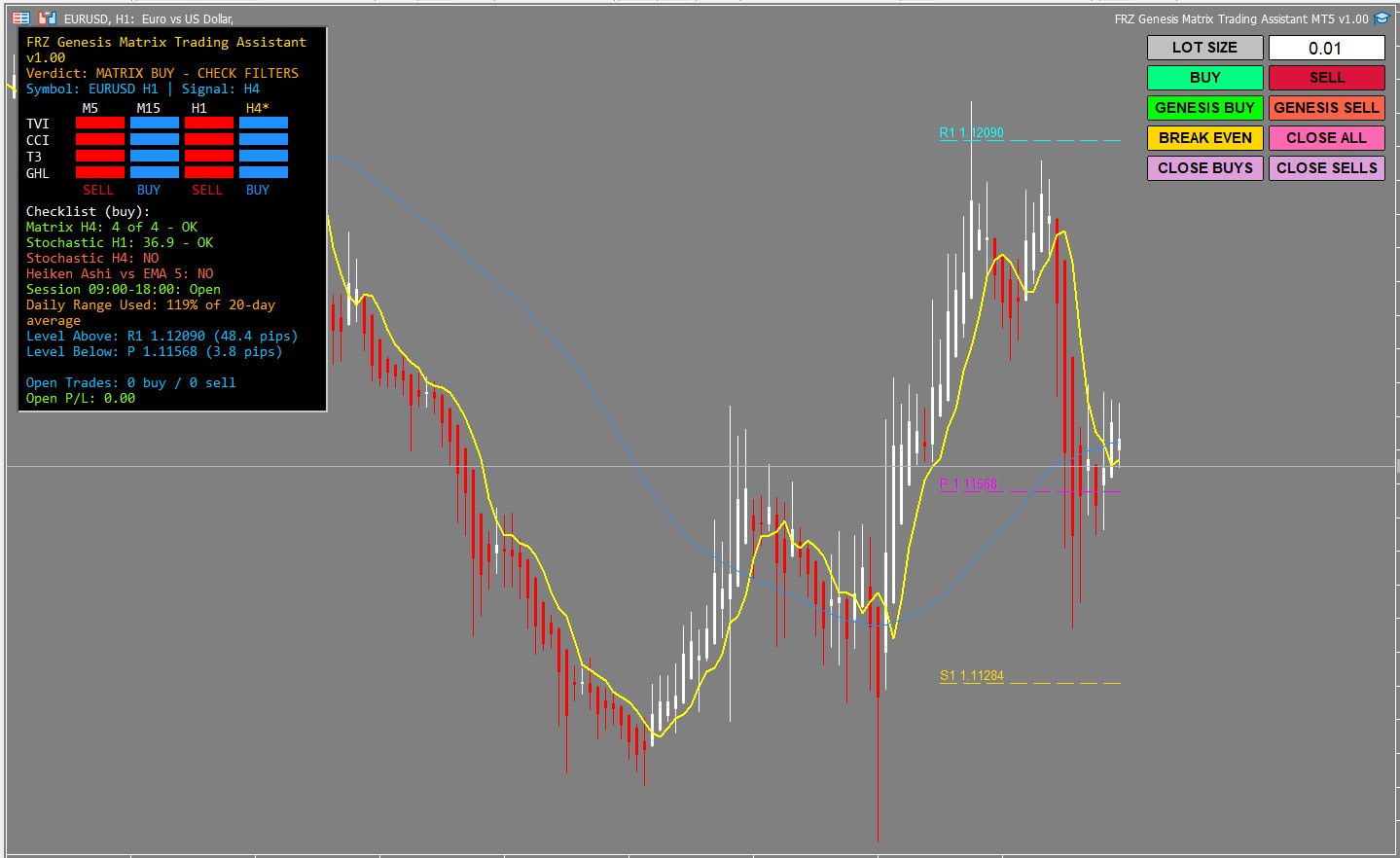
The panel shows the Genesis Matrix on four timeframes, the verdict and the filter checklist, next to the Heiken Ashi candles, EMA 5, 50 SMA, daily pivots and the trade buttons.
Key Features
- Genesis Matrix panel: TVI, CCI, T3 and Gann HiLo on four timeframes
- Clear verdict: BUY SETUP, SELL SETUP, WATCH (3 of 4) or NO TRADE
- Filter checklist: Stochastic on two timeframes, Heiken Ashi vs EMA 5, session and daily range
- Supports the 5-15 method or the chart’s own timeframe
- Heiken Ashi candles, EMA 5, 50 SMA and daily pivots drawn automatically
- Arrows on past and new setups, which never repaint once the candle closes
- Popup and push alerts
- One-click Genesis Buy / Sell with swing stop loss and pivot take profit
- Buy, Sell, Break Even and Close buttons with a lot size box
- No extra indicator files or templates needed
- Free for MT4 and MT5 – no license needed
Who This Tool Is For
- Traders who follow or want to learn the Genesis Matrix system
- Scalpers trading M5 / M15 charts during the London and New York sessions
- Traders who want a clear checklist before every entry
- Manual traders who prefer one-click execution with sensible stops and targets
Not designed for traders looking for a fully automated robot – every trade is your decision.
Technical Specifications
| Specification | Details |
|---|---|
| Product Name | FRZ Genesis Matrix Trading Assistant |
| Platform | MT4 & MT5 |
| Timeframe | Any – M5 recommended |
| Market | Forex (also gold and oil) |
| Supported Pairs | Any – low-spread pairs recommended |
| Minimum Deposit | You choose the lot size – $200 or more with 0.01 lots (cent accounts supported) |
For detailed specifications, refer to the User Manual.
Installation & Setup Guide
- Download the MT4 and MT5 versions (free).
- Copy the file into the MQL4/Experts or MQL5/Experts folder and refresh the Navigator.
- Enable AutoTrading / Algo Trading – no license or WebRequest setup is needed.
- Attach it to an M5 chart of the pair you want to trade.
- Set the session times to your broker’s time zone and your lot size.
- Wait for a BUY or SELL SETUP and click Genesis Buy or Genesis Sell.
Full instructions: FRZ Genesis Matrix Trading Assistant User Manual
Recommended Broker & VPS
We recommend using a low-spread broker and a reliable VPS.
- Recommended Broker: IC Markets. If ICMarkets not available in your country, please use IC Trading.
- Recommended VPS Provider: Contabo VPS.
You may contact us on live chat in case you need any support in this regard.
Frequently Asked Questions
Is the Genesis Matrix Trading Assistant free?
Yes. It is completely free for MT4 and MT5, with no license and no trial limits.
Does it trade automatically?
No. It shows the Genesis signals, checklist, arrows and alerts, and opens a trade only when you click a button.
Do I still need the Genesis template and indicators?
No. The matrix, Stochastics, Heiken Ashi candles, EMA 5 and pivots are all calculated and drawn by this one file.
Which timeframe should I use?
M5 with the default settings, so the signal comes from the M15 matrix. Any other timeframe works too – the signal is then read from the next higher timeframe.
Do the arrows repaint?
No. An arrow appears only after its candle has closed and never moves afterwards.
Can I backtest it?
Yes. Run it in the MT4 or MT5 Strategy Tester in Visual mode to see the matrix, verdict and arrows on historical data.
Support & Updates
All paid customers receive:
✔ Free lifetime updates
✔ Access to detailed user manuals
✔ Free remote installation support for first installation
✔ AI-based technical support
✔ General live chat and email ticket support
✔ Discord user forum support
You may check out our full Support Policy for more details.
Risk Disclaimer
Trading in financial markets involves substantial risk and may not be suitable for all investors. Our software is provided “as is” without any guarantee of profit. You are advised to test thoroughly on demo accounts before trading live. Please review our full terms and conditions before purchasing.
Related Trading Categories
Trading Systems & Strategies
Indicators & Analysis


Luakn K –
Can I use it in H4 charts?
ForexRobotz –
Yes
Lloyd D –
Good for genesis strategy traders. thanks
Ju Hun Lee –
Does this work on Gold XAUUSD and Silver XAGUSD? Thanks.
ForexRobotz –
yes
Anika J –
i have been trading this method for months and its quite profitable. It works best in London session
M Mohamed –
Hi, I don’t understand why there are plenty of indicators when the video only showed moving average and arrows used as confirmation. Pivots and support/resistant for stop and profit. How about the others indicators.