
Description
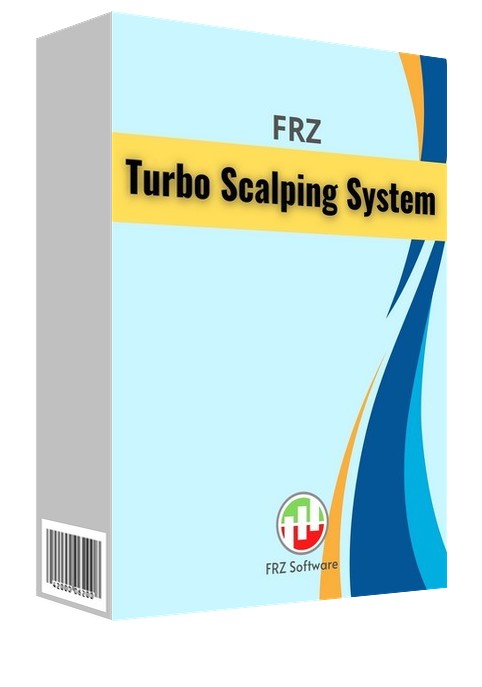
FRZ Turbo Scalping System for MT4 & MT5 – Manual Scalping System in One EA
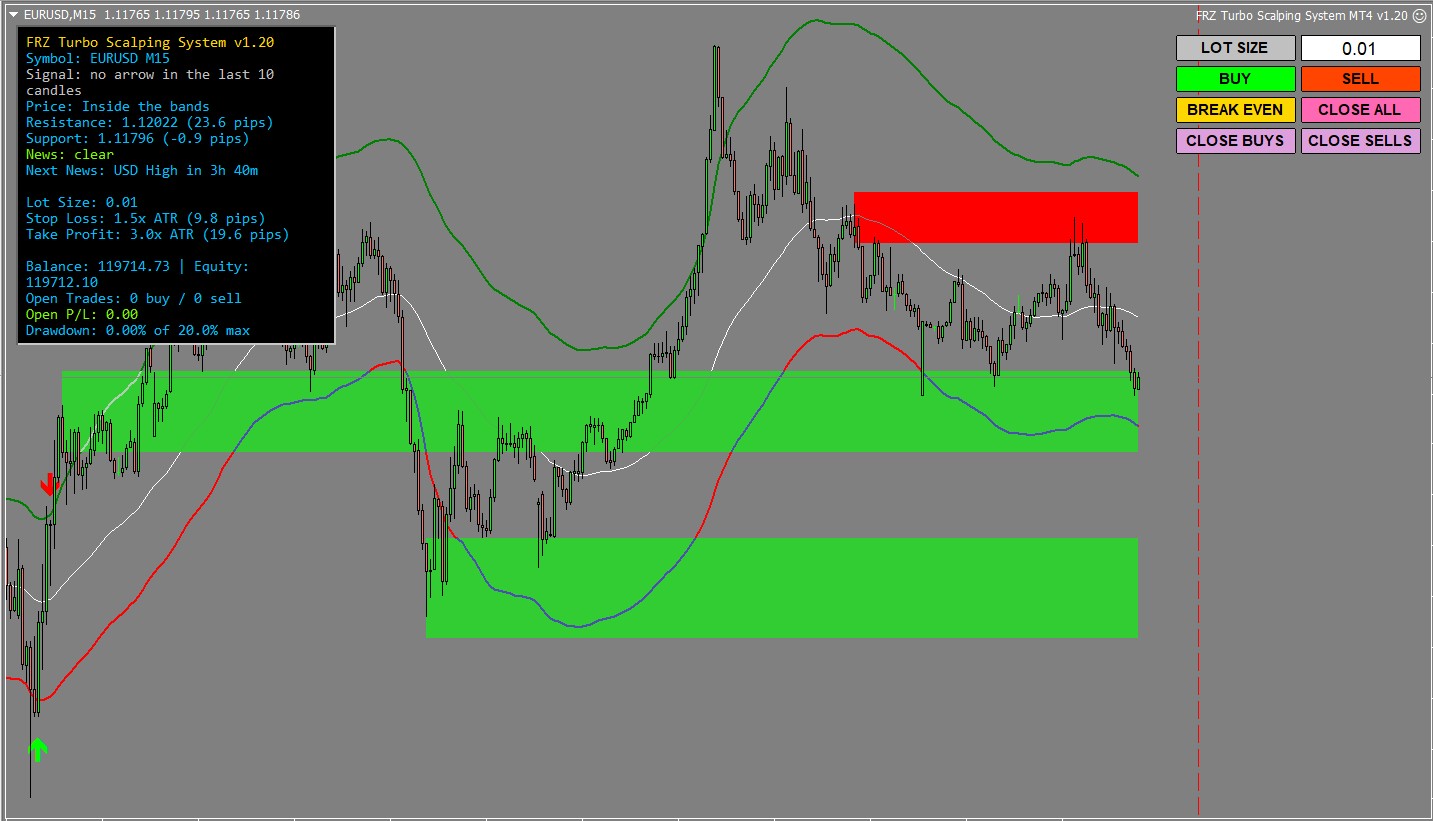
FRZ Turbo Scalping System is a manual scalping system for MetaTrader 4 and MetaTrader 5, built for lower timeframes such as M1 and M5. Everything you need runs inside one Expert Advisor: a smoothed price channel with buy and sell arrows, support and resistance zones, upcoming news, alerts and one-click trade buttons. No indicator or template files to install.
The system looks for moments when price is stretched outside its channel and starts to turn back, then helps you judge the trade with nearby support and resistance zones and the news calendar. You stay in control: the EA never opens a trade by itself, and every entry is your click.
Arrows are drawn only when their candle has closed and never move or disappear afterwards, so what you see on past candles is exactly what you would have seen live. Built-in filters skip repeated arrows during strong pushes and arrows against a strong trend.
Video & Screenshots
(This video is from an older version that used separate indicator files. Always consider the written user manual as the updated guide.)
Key Features
- One EA for MT4 and MT5 – no indicator or template files needed.
- Price channel with buy and sell arrows that never repaint.
- Arrow filters that skip repeated and counter-trend signals (each can be switched off).
- Support and resistance zones drawn on the chart, with the nearest zones and their distance on the panel.
- Upcoming news on the panel and as lines on the chart, with a red warning inside the news window.
- One alert per new arrow – popup, sound, push notification or email.
- One-click BUY, SELL, BREAK EVEN, CLOSE ALL, CLOSE BUYS and CLOSE SELLS buttons.
- ATR-based stop loss and take profit that adapt to market speed, plus optional automatic break even and trailing stop.
- Fixed lot or risk % lot sizing.
- Drawdown stop that closes the EA’s trades at your chosen loss limit.
Who This System Is For
- Manual traders who like short, frequent scalping trades on M1 and M5 charts.
- Traders who want signals, zones, news and trade buttons on one chart instead of several tools.
- Traders who want to keep the final decision on every trade.
It is not an automated trading robot: it does not open trades on its own.
How to Trade the System
Buy:
- A green arrow appears.
- There is a support zone close below the arrow.
- The price is below the white middle line.
Sell:
- A red arrow appears.
- There is a resistance zone close above the arrow.
- The price is above the white middle line.
Exit: close the trade when price returns to the white middle line, or let the ATR-based take profit and stop loss manage it.
Lot size: we recommend a maximum of 0.01 lots per $100 of balance (e.g. 0.1 lots or less for $1,000). Avoid new trades while the panel shows the news warning.
Technical Specifications
| Product Name | FRZ Turbo Scalping System |
| Platform | MT4 & MT5 |
| Timeframe | Any – M1 or M5 recommended |
| Market | Forex, gold and other CFDs |
| Supported Pairs | Any symbol – low-spread pairs recommended |
| Minimum Deposit | $100 (cent accounts can be used) |
For detailed specifications, refer to the User Manual.
Installation & Setup Guide
- Download the MT4 or MT5 version from your account dashboard.
- Copy the EA file into the MQL4/Experts or MQL5/Experts folder and refresh MetaTrader.
- Add https://frzserver.com under Tools > Options > Expert Advisors > Allow WebRequest for listed URL.
- Open an M1 or M5 chart, attach the EA and enable AutoTrading / Algo Trading.
- Set your lot size or risk %, then trade from the buttons on the chart.
Full step-by-step instructions are in the User Manual.
Recommended Broker & VPS
We recommend using a low-spread broker and a reliable VPS.
- Recommended Broker: IC Markets. If ICMarkets not available in your country, please use IC Trading.
- Recommended VPS Provider: Contabo VPS.
You may contact us on live chat in case you need any support in this regard.
FAQ
Does the EA trade automatically?
No. It shows signals, zones and news and sends alerts, but trades are opened only when you click BUY or SELL.
Do the arrows repaint?
No. An arrow is drawn when its candle closes and never moves or disappears afterwards.
Do I still need the indicators and template from the previous version?
No. Everything is drawn by the EA. Remove the old indicators from your charts when you update.
Is a license required?
Yes. The license is tied to your trading account number. Existing customers’ licenses work with the new version.
Can it be backtested?
Yes, in the Strategy Tester with Visual mode to see the channel, arrows and zones. The trade buttons and news are available on live charts only. Attach the EA once to a live or demo chart first so the license is verified for testing.
Are both MT4 and MT5 included?
Yes, both versions are included with your purchase.
Can I use it for prop firm challenges?
Yes. You decide every trade, and the stop loss, risk % lot sizing and drawdown stop help you stay within the firm’s limits. Check your firm’s own rules.
Licensing & Usage Policy
Our software is licensed based on your trading account number.
Each license is linked to one trading account at a time.
✔ One-time payment = This is a one-time payment. Not a subscriptions.
✔ One license = Unlimited non-simultaneous accounts
✔ Free license transfer to new accounts online
✔ Only simultaneous usage requires multiple licenses
This means even with a single license, you can use the software on unlimited accounts (one at a time) without extra cost.
Initial licensing is handled manually. All future transfers are done via our self-service portal.
You may check out our full License Policy for more details.
Support & Updates
All paid customers receive:
✔ Free lifetime updates
✔ Access to detailed user manuals
✔ Free remote installation support for first installation
✔ AI-based technical support
✔ General live chat and email ticket support
✔ Discord user forum support
You may check out our full Support Policy for more details.
Refund Policy
We offer refunds in accordance with our refund policy. You may check out our refund conditions before purchasing.
Risk Disclaimer
Trading in financial markets involves substantial risk and may not be suitable for all investors. Our software is provided “as is” without any guarantee of profit. You are advised to test thoroughly on demo accounts before trading live. Please review our full terms and conditions before purchasing.
Related Trading Categories
Trading Systems & Strategies
Indicators & Analysis
Jacob H –
Nice simple strategy. Looks promising. Thank you guys!
Hemal Gajmans –
The arrows repaint but if you follow the rules you can avoid most losing trades.
Swethank Anand –
Indicator repainting but still it can be profitable. I use on Gold M5 and it worked well
Mike –
Very easy system to follow. Just follow the arrow and watch out for S/R.