
Please follow these 3 simple steps to get your account license activated for the first time (Initial licensing is manual. For license transfers, you can use our self-service license transfer portal).
Step 1
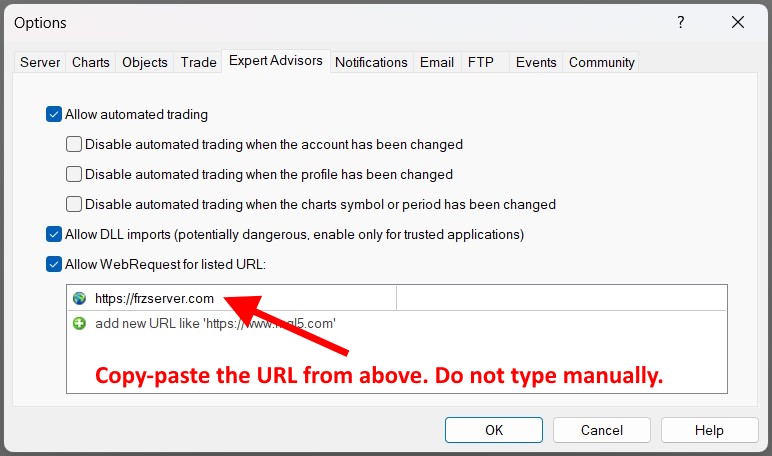
Go to your MT4 or MT5 and select Tools => Options. Then, make sure you have enabled auto trading, DLL, and then add the following URL to the allowed list:
https://frzserver.com [Please copy-paste the URL without typing to avoid typos]
Step 2
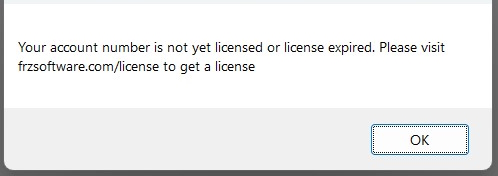
Then place your EA file under Experts folder and load the EA to any chart of the account you want to license. Then, you should see a licensing error message as follows. Please make sure you see this message, otherwise your account details will not be captured by the license server.
Step 3
Once the above steps done, please fill out this form to submit your account details.
NB: License activation can take up to 24 hours. Please do not submit duplicate entries. If there is any delay please file a support ticket or contact us via online chat. Once your account is manually activated for the first time, you can transfer license to a new account online anytime using our license server by your self.