
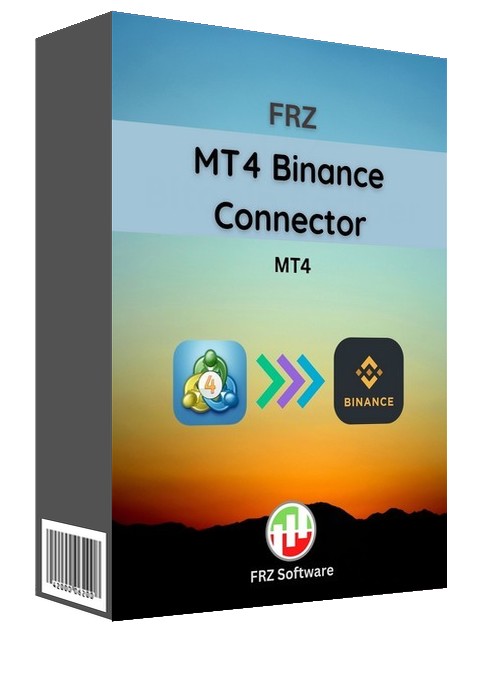
Description
FRZ MT4 Binance Copier – Binance Trade Copying Bridge for MT4
We recommend Bybit as the MT4 platform as they offer USDT crypto pairs on MT4. you can simply run the Binance connector on their MT4 DEMO.
FRZ MT4 Binance Copier is a free EA designed to connect MT4 and Binance via Binance API. With this tool you can open or close trades on Binance via MT4 manually or copy the MT4 trades from another MT4 EA to Binance. This works on both spot and futures (USDS-M) market.
In order to use this product, you need to have the corresponding crypto pair on your MT4 provided by your forex broker. For instance, if you want to trade BTCUSDT on Binance from MT4, you need to have BTCUSDT (or at least BTCUSD) pair on your MT4 and so on. Also note USD and USDT are not the same and therefore there can be some price differences between MT4 BTCUSD and Binance BTCUSDT; If you trade on the lower timeframes like 1 or 5 minute chart, the price difference can be significant.
**We can recommend Bybit as the MT4 platform as they offer USDT crypto pairs on MT4. You can simply run the Binance connector on their Mt4 DEMO; there will be less price differences in this case. However, you need to adjust the setting 10 accordingly. Eg. If you have BTCUSDT itself on your MT4, and if you want to trade the same on Binance, then setting 10 should be: BTCUSDT;BTCUSDT
Common Errors Massages provided by Binance API:
- “Timestamp for this request was 1000ms ahead of the server’s time”. You may reduce your PC/VPS time by few seconds and try again.
- “code”: -4061, “msg”: “Order’s position side does not match user’s setting.”, You may try changing hedging mode to one-way mode.
Whenever you open a trade on Binance, the same trade will be opened on Binance on the corresponding pair. The tool can be used with any MT4 crypto pair to open trades on corresponding pair on Binance.
Copying Trades from another EA to Binance.
Example: Assume you have an EA running on MT4 BTCUSD H1 Chart and you want to copy the trades to Binance BTCUSDT futures market, then open another BTCUSD chart and load our EA to that chart. Then simply enable copy trades under our EA settings. Then all the trades on MT4 EA will be copied to Binance futures.
- What is supported: Trade entries with optional TP/SL.
- What is not supported: Trailing stop, breakeven and other advanced functions.
Please note that actual prices on Binance can be somewhat different from MT4 (Spot price differences would be less but futures price differences could be considerable if you use short time frames like M1 & M5 or use too small take profit or stop loss).
Key Features
-
Direct MT4 to Binance integration via official API
-
Supports Binance Spot trading
-
Supports Binance Futures (USDS-M)
-
Manual trade execution from MT4 to Binance
-
Copy trades from another MT4 EA
-
Trade entries with optional TP/SL
-
Works on any timeframe
-
Flexible symbol mapping (e.g., BTCUSD → BTCUSDT)
-
No third-party server required
Installation & Setup Guide
-
Go to MT4 → Tools → Options → Expert Advisors.
-
Enable automated trading.
-
Under “Allow Web Requests”, add:
https://api.binance.com -
Place the EA file inside the Experts folder.
-
Restart MT4.
-
Generate API Key and Secret Key in your Binance account.
-
Enter API credentials and configure symbol mapping in EA settings.
If your MT4 provides the exact same symbol as Binance (e.g., BTCUSDT), configure mapping as:
BTCUSDT;BTCUSDT
We recommend using Bybit as the MT4 provider because they offer USDT crypto pairs directly on MT4. You can run the Binance copier on their MT4 demo account to reduce price discrepancies.
Operational differences from MT4 to Binance
- Closing trades on MT4
Closing an opened spot trade on MT4 is equivalent to an opposite trade on Binance. For instance if you close a BTCUSD trade on MT4, the equivalent action on Binance would be a sell trade on BTCUSDT with the same volume.
- Stop loss and take profit on Binance
Take profit and stop loss on MT4 will also be equivalent to opposite trades on spot Binance. For instance, if you buy BTCUSD 01 lot on MT4 at $50,000 spot rate and place stop loss at 40,000 and take profit at 60,000, the EA will open a corresponding BTCUSDT buy trade at Binance at the spot rate that existed at that time. If the price reached $60,000, MT4 would close the trade while on Binance a sell trade will be triggered with the same volume as the buy trade. Similarly, if the price dipped to $40,000, MT4 will execute the stop loss and close the trade while on Binance a BTCUSDT sell trade will be triggered with the same volume as the buy trade.
- Adding more positions to the same pair on Futures
When you add additional positions on the same pair, Binance will only add to the current position with an average price where as you will get different trades on MT4.
Video Tutorial
Who This EA for
-
Crypto traders using MT4
-
Traders running automated EAs
-
Futures traders using Binance USDS-M
-
Traders who want to copy MT4 trades to Binance
-
Users looking for MT4 to Binance integration
This tool is designed for traders who already have a working MT4 strategy and want to execute those trades on Binance automatically.
Technical Specifications
| Specification | Details |
|---|---|
| Platform | MetaTrader 4 |
| Exchange Supported | Binance only |
| Markets | Spot & Futures (USDS-M) |
| Timeframes | Any |
| Trading Features | Trade entries with TP/SL |
| Not Supported | Trailing stop, breakeven |
| Minimum Deposit | Depends on Binance account |
| Current Version | 3.0 |
Frequently Asked Questions
Is this MT4 Binance bridge free?
Yes
Does this connector support futures?
Yes. It supports both Spot and Futures (USDS-M).
Can I trade automatically from MT4?
Yes. Trades opened on MT4 are mirrored automatically to Binance via API.
Recommended Broker & VPS
We recommend using a low-spread broker and a reliable VPS.
- Recommended Broker: IC Markets. If ICMarkets not available in your country, please use IC Trading.
- Recommended VPS Provider: Contabo VPS.
You may contact us on live chat in case you need any support in this regard.
Licensing, Updates
Our software is licensed based on your trading account number.
Each license is linked to one trading account at a time.
✔ One-time payment = This is a one-time payment. Not a subscriptions.
✔ One license = Unlimited non-simultaneous accounts
✔ Free license transfer to new accounts online
✔ Only simultaneous usage requires multiple licenses
This means even with a single license, you can use the software on unlimited accounts (one at a time) without extra cost.
Initial licensing is handled manually. All future transfers are done via our self-service portal.
You may check out our full License Policy for more details.
Refund Policy
We offer refunds in accordance with our refund policy. You may check out our refund conditions before purchasing.
Support & Updates
All paid customers receive:
✔ Free lifetime updates
✔ Access to detailed user manuals
✔ Free remote installation support for first installation
✔ AI-based technical support
✔ General live chat and email ticket support
✔ Discord user forum support
You may check out our full Support Policy for more details.
Risk Disclaimer
Trading in financial markets involves substantial risk and may not be suitable for all investors. Our software is provided “as is” without any guarantee of profit. You are advised to test thoroughly on demo accounts before trading live. Please review our full terms and conditions before purchasing.
Jayden P –
Superb. Thank you for making such a great tool for free
Kieth J –
This what I was looking for long time. Thank you!
Chirag Panchal –
Can we use another EA on those binance charts?
ForexRobotz –
You cant use two EAs on same MT4 chart
enis –
thanks
Lidia Podila –
I just downloaded the free demo version. Can I use all the binance symbols or are some limitations?
Alvin –
There is error message : Invalid pointer access in ‘BinanceLibrary-v2.5-Futures.mqh’
FRZ –
pls contact support