
Description
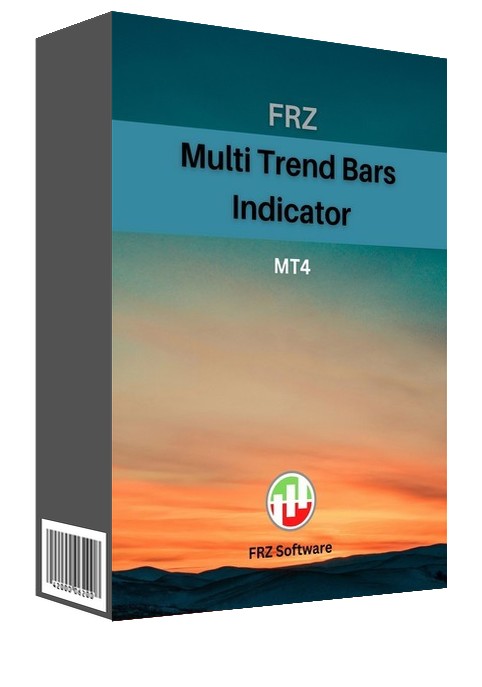
FRZ Multi Trend Bars Indicator for MT4 & MT5
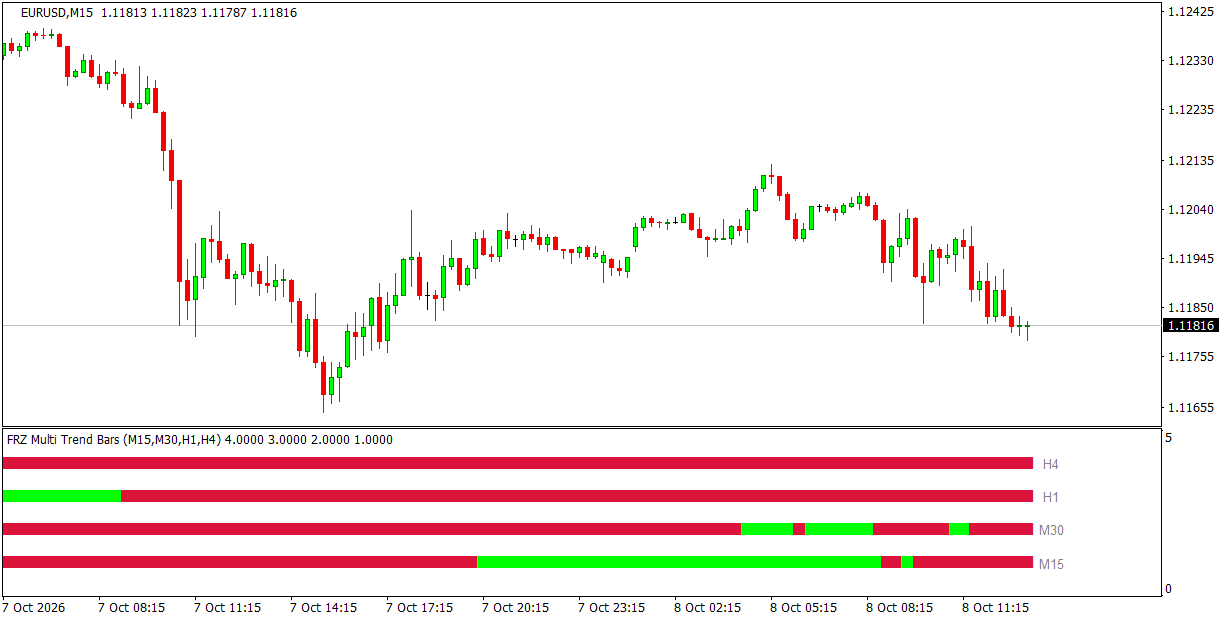
FRZ Multi Trend Bars will show you the market trend from 4 different timeframes for easy analysis. You can select the timeframes under settings. This can be quite useful in multi timeframe trend analysis to understand the overall trend of the market.
Each row is one timeframe: green while that timeframe is trending up and red while it is trending down, with the timeframe name at the right. When all four rows show the same colour, the timeframes agree – and the indicator can alert you when that happens.
Screenshot
Specs
| Product name | FRZ Multi Trend Bars Indicator |
| Platform supported | MT4 & MT5 |
| Type | Indicator (separate window) |
| Timeframes | Any chart timeframe; shows 4 selectable timeframes |
| Currency pairs | Any |
Settings
Installation: in MetaTrader, open File > Open Data Folder, copy the .ex4 file into MQL4/Indicators (MT4) or the .ex5 file into MQL5/Indicators (MT5), restart MetaTrader, then drag the indicator from Navigator > Indicators onto your chart. The settings below appear on the indicator’s Inputs tab, numbered the same way.
Trend Settings
- Timeframe 1 (bottom row) (default: M15).
- Timeframe 2 (default: M30).
- Timeframe 3 (default: H1).
- Timeframe 4 (top row) (default: H4). Usually you pick the chart’s timeframe and three higher ones, e.g. M15, M30, H1 and H4 on an M15 chart.
- Choose Timeframes Automatically (default: false) – when true, the four timeframes are picked to suit the chart (for example M15, M30, H1 and H4 on an H1 chart) and settings 1-4 are ignored.
- Trend Period (CCI) (default: 50) – the trend on each timeframe is read from a CCI of this period: above zero is an uptrend, below zero a downtrend. A smaller value reacts faster; a larger one changes colour less often.
Alert Settings
- Alert When All 4 Timeframes Agree (default: false) – when true, notifies you once when a candle closes and all four rows have just turned the same colour.
- Alert Notification (default: true) – shows a MetaTrader alert popup with the details, pair and timeframe.
- Sound Notification (default: true) – plays a sound with the alert.
- Email Notification (default: false) – sends the alert by email. Set up your email account first under Tools > Options > Email.
- Phone Notification (default: false) – sends a push notification to the MetaTrader mobile app. Enter your MetaQuotes ID under Tools > Options > Notifications first.
Settings 8-11 only apply when setting 7 is switched on.
Display Settings
- Uptrend Color (default: lime).
- Downtrend Color (default: crimson).
- Row Spacing (default: 1) – vertical gap between the rows.
- Max History Bars (default: 2000) – how many candles are drawn when the indicator loads. Set 0 for the full history.
Recommended Broker & VPS
We recommend using a low-spread broker and a reliable VPS.
- Recommended Broker: IC Markets. If ICMarkets not available in your country, please use IC Trading.
- Recommended VPS Provider: Contabo VPS.
You may contact us on live chat in case you need any support in this regard.
Risk Disclaimer
Trading in financial markets involves substantial risk and may not be suitable for all investors. Our software is provided “as is” without any guarantee of profit. You are advised to test thoroughly on demo accounts before trading live. Please review our full terms and conditions before purchasing.

Amy H –
Great tool for my trading. Saved a lot of time!
Amy H –
Great tool for my trading. Saved a lot of time!