
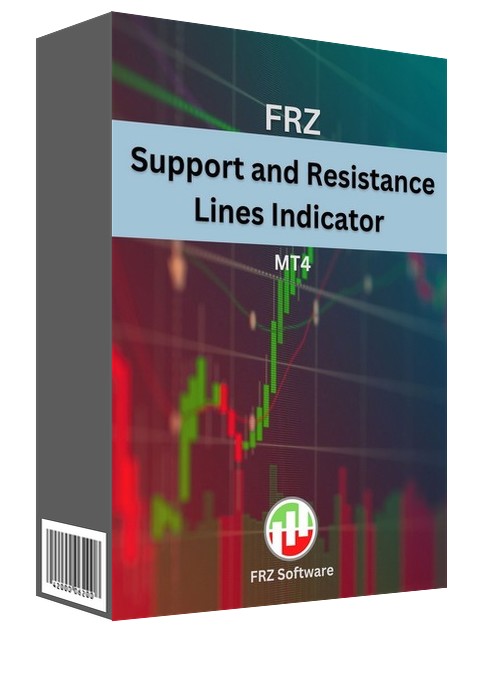
Description
FRZ Support and Resistance Lines for MT4 & MT5
This indicator automatically plots support and resistance levels. It is a powerful indicator that also shows the strength of each support and resistance level, using different colours for levels of different strength. Colours and many other settings can be customized, along with alerts.
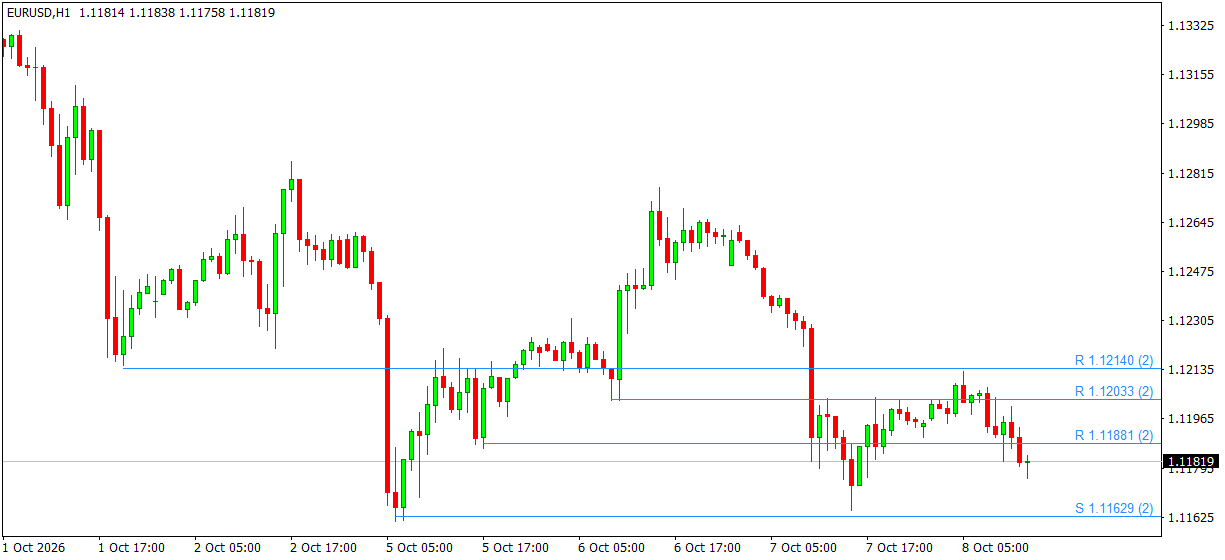
It collects the swing highs and lows of recent price action, groups the ones that sit at about the same price into a single level and counts how many times price has turned there. The nearest levels above price (resistance, R) and below price (support, S) are drawn with their price and touch count; the more touches, the stronger the level. Levels are rebuilt from closed candles each time a new candle opens.
Screenshot
Specs
| Product name | FRZ Support and Resistance Lines |
| Platform supported | MT4 & MT5 |
| Type | Indicator |
| Timeframes | Any |
| Currency pairs | Any |
Settings
Installation: in MetaTrader, open File > Open Data Folder, copy the .ex4 file into MQL4/Indicators (MT4) or the .ex5 file into MQL5/Indicators (MT5), restart MetaTrader, then drag the indicator from Navigator > Indicators onto your chart. The settings below appear on the indicator’s Inputs tab, numbered the same way.
Level Settings
- Candles to Look Back (default: 1000) – how many past candles are used to find levels.
- Swing Strength (candles each side) (default: 3) – a swing high/low must stand out over this many candles on each side. Larger values keep only bigger turning points.
- Merge Levels Closer Than (x ATR) (default: 0.5) – swings closer together than this fraction of the average true range are treated as the same level. Raise it to get fewer, wider levels; lower it for more precise ones.
- Levels to Show Above and Below Price (default: 3) – how many of the nearest resistance and support levels are drawn.
- Minimum Touches to Show a Level (default: 1) – hide levels that price has turned at fewer times than this. For example, 2 shows only levels that have been tested at least twice.
- Touches for a Medium Level (default: 2) – levels with at least this many touches use the medium colour.
- Touches for a Strong Level (default: 4) – levels with at least this many touches use the strong colour and a thicker line.
Alert Settings
- Alert When Price Touches a Level (default: false) – when true, notifies you once when a candle closes after touching a level.
- Minimum Level Strength for Alerts (touches) (default: 2) – only levels with at least this many touches trigger alerts.
- Alert Notification (default: true) – shows a MetaTrader alert popup with the details, pair and timeframe.
- Sound Notification (default: true) – plays a sound with the alert.
- Email Notification (default: false) – sends the alert by email. Set up your email account first under Tools > Options > Email.
- Phone Notification (default: false) – sends a push notification to the MetaTrader mobile app. Enter your MetaQuotes ID under Tools > Options > Notifications first.
Settings 9-13 only apply when setting 8 is switched on.
Display Settings
- Weak Level Color (default: gray).
- Medium Level Color (default: dodger blue).
- Strong Level Color (default: magenta).
- Show Level Labels (default: true) – show each level’s price and touch count at the right of the chart.
Recommended Broker & VPS
We recommend using a low-spread broker and a reliable VPS.
- Recommended Broker: IC Markets. If ICMarkets not available in your country, please use IC Trading.
- Recommended VPS Provider: Contabo VPS.
You may contact us on live chat in case you need any support in this regard.
Risk Disclaimer
Trading in financial markets involves substantial risk and may not be suitable for all investors. Our software is provided “as is” without any guarantee of profit. You are advised to test thoroughly on demo accounts before trading live. Please review our full terms and conditions before purchasing.
Related Trading Categories
Last updated 11 November 2026

Jaunam –
Can I use it on any timeframe?
ForexRobotz –
Yes
Hins Matinae –
Best S/D indicator out there. thanks
Dylan Chapman –
Must have for supply demand strategy users. great. thanks
Josep Param –
thanks