
Description
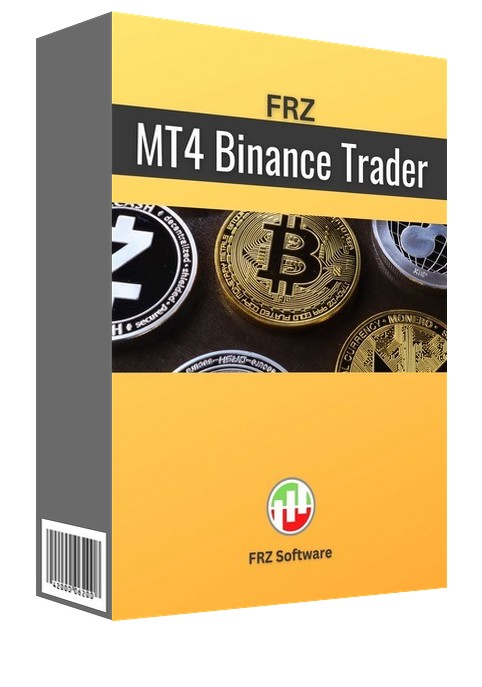
FRZ Meta Binance Trader for MT4 & MT5 – Binance to MetaTrader Trading Bridge
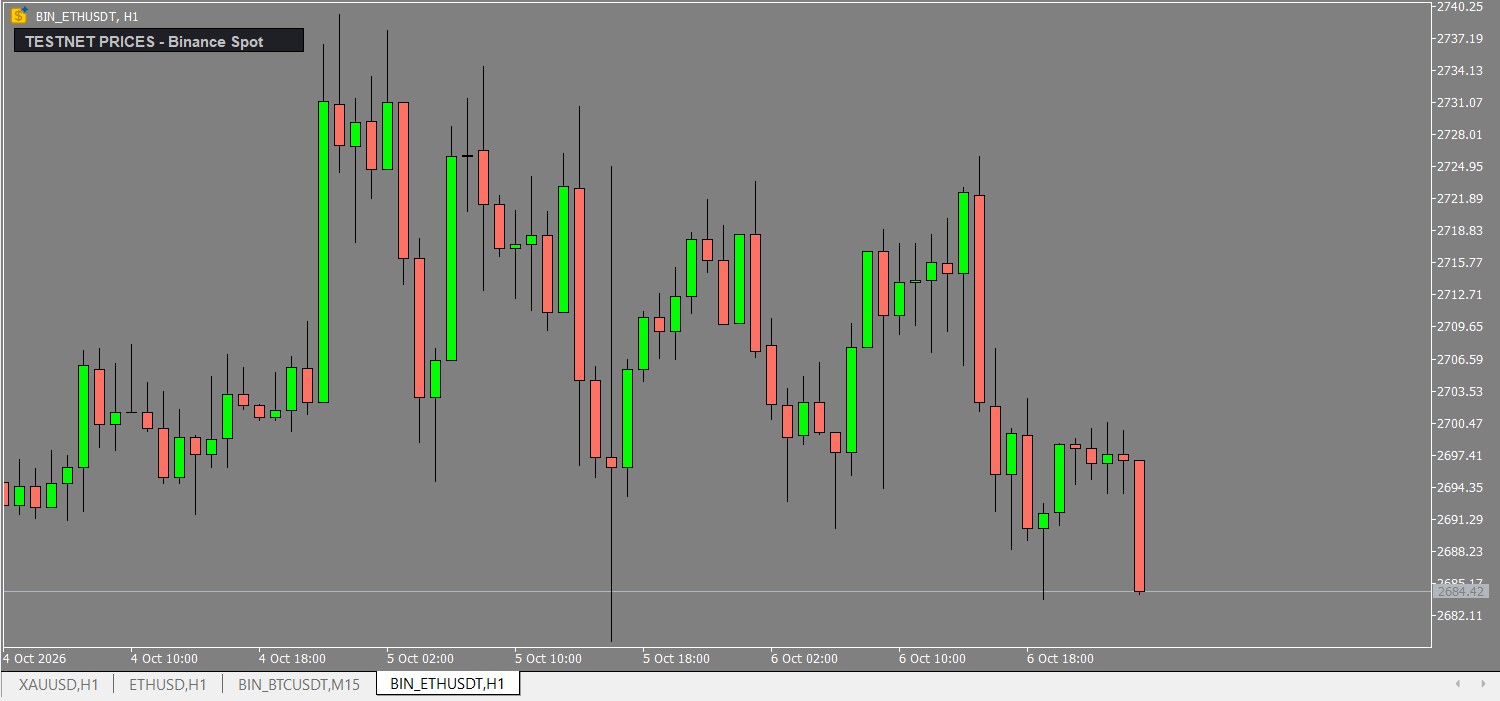
FRZ Meta Binance Trader (formerly FRZ MT4 Binance Trader) connects your Binance.com account directly to MetaTrader 4 and MetaTrader 5. Load live Binance Spot and Futures charts inside MetaTrader and place Binance orders from a clean on-chart trading panel – without leaving the platform you already know.
It works as both:
- A charting module – live Binance candles inside MetaTrader, opened automatically, so you can analyse crypto with your favourite MT4/MT5 indicators and drawing tools.
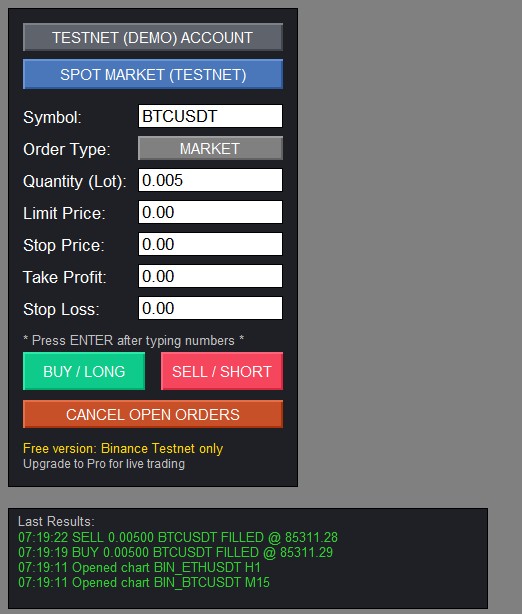
- A trading module – Market, Limit, Stop and Take-Profit orders on Binance Spot, USD-M Futures and COIN-M Futures, with Take Profit and Stop Loss placed for you.
Everything goes through Binance’s official API with your own API keys. Start free on the Binance Testnet, then upgrade to Pro to trade your live Binance account.
Video & Screenshots
(This video is from an older version – always consider the written user manual as the updated guide.)
Key Features
- Binance to MetaTrader bridge for MT4 and MT5
- Binance Spot, USD-M Futures and COIN-M Futures
- Live Binance charts opened automatically inside MetaTrader
- On-chart trading panel with Market, Limit, Stop and Take-Profit orders
- Take Profit and Stop Loss with every order (one OCO order on Spot)
- Automatic check that TP/SL are on the correct side before the order is sent
- Correct price and quantity rounding for every Binance pair
- One-click switch between Binance Testnet and Live (Pro)
- Results box showing every fill, order and Binance’s reason for any rejection
- Open orders and entries drawn as lines on the Binance charts
- No DLL file to install
- Free version for the Binance Testnet
Who This Tool Is For
- Crypto traders who prefer the MetaTrader interface
- Traders who want Binance charts with MT4/MT5 indicators and drawing tools
- Traders who want to place Binance trades with Take Profit and Stop Loss from MetaTrader
- Traders who want to practise on the Binance Testnet before trading live
Not designed for very short-term (M1) high-frequency trading.
Technical Specifications
| Specification | Details |
|---|---|
| Product Name | FRZ Meta Binance Trader (Free & Pro) |
| Platform | MT4 & MT5 |
| Timeframe | Binance charts: M1, M5, M15, M30, H1, H4, D1 |
| Market | Binance Spot, USD-M Futures, COIN-M Futures |
| Supported Pairs | Binance pairs (e.g. BTCUSDT, ETHUSDT, BTCUSD_PERP) |
| Minimum Deposit | No MetaTrader deposit needed – orders go to your Binance account |
For detailed specifications, refer to the User Manual.
Installation & Setup Guide
- Download the Free or Pro version for MT4 or MT5.
- Copy the .ex4 file to MQL4/Experts or the .ex5 file to MQL5/Experts.
- Enable AutoTrading / Algo Trading and add the Binance addresses to the WebRequest list (MT4: also allow DLL imports).
- Create Binance API keys with trading permission only (never enable withdrawals) and enter them in the EA inputs.
- Attach the EA to any chart – the Binance charts open by themselves.
- Use a VPS if you want the charts and panel running 24/7.
Full step-by-step instructions: FRZ Meta Binance Trader User Manual
Recommended Broker & VPS
We recommend using a low-spread broker and a reliable VPS.
- Recommended Broker: IC Markets. If ICMarkets not available in your country, please use IC Trading.
- Recommended VPS Provider: Contabo VPS.
You may contact us on live chat in case you need any support in this regard.
Frequently Asked Questions
Is FRZ Meta Binance Trader free?
Yes, there is a Free version that works fully on the Binance Testnet (Demo Trading) with no license. The Pro version adds live trading on your real Binance account and needs a license.
Does it work with MT5?
Yes. MT4 and MT5 versions are both included.
Which Binance markets and pairs are supported?
Binance Spot, USD-M Futures and COIN-M Futures pairs available through the Binance API.
Can it be backtested?
No. It works with live Binance data, so it cannot run in the Strategy Tester. Use the Free version on the Binance Testnet to try every feature risk-free.
Does it need a DLL file?
No. The DLL file used by older versions is no longer needed.
Is my Binance account safe?
The tool uses your own API keys and only places orders. Create keys with trading permission only and never enable withdrawals.
Licensing & Usage Policy
The Free version needs no license. The Pro version is licensed to your MetaTrader account number.
Our software is licensed based on your trading account number.
Each license is linked to one trading account at a time.
✔ One-time payment = This is a one-time payment. Not a subscriptions.
✔ One license = Unlimited non-simultaneous accounts
✔ Free license transfer to new accounts online
✔ Only simultaneous usage requires multiple licenses
This means even with a single license, you can use the software on unlimited accounts (one at a time) without extra cost.
Initial licensing is handled manually. All future transfers are done via our self-service portal.
You may check out our full License Policy for more details.
Support & Updates
All paid customers receive:
✔ Free lifetime updates
✔ Access to detailed user manuals
✔ Free remote installation support for first installation
✔ AI-based technical support
✔ General live chat and email ticket support
✔ Discord user forum support
You may check out our full Support Policy for more details.
Refund Policy
We offer refunds in accordance with our refund policy. You may check out our refund conditions before purchasing.
Risk Disclaimer
Trading in financial markets involves substantial risk and may not be suitable for all investors. Our software is provided “as is” without any guarantee of profit. You are advised to test thoroughly on demo accounts before trading live. Please review our full terms and conditions before purchasing.


atila –
Can i use this with other EA’s for auto trading?
FRZ –
yes
Ryan Eason –
Looking for this kind of a tool for long time to use my favorite mt4 indicators on crypto charts.
Daniel Hall –
It is good but if you are trading on 1 minute charts or so, this may not be the ideal as there can be slight delays in loading the updates on price; overall it is a fine job!
Januri –
Nice tool for my crypto analysis