
Description
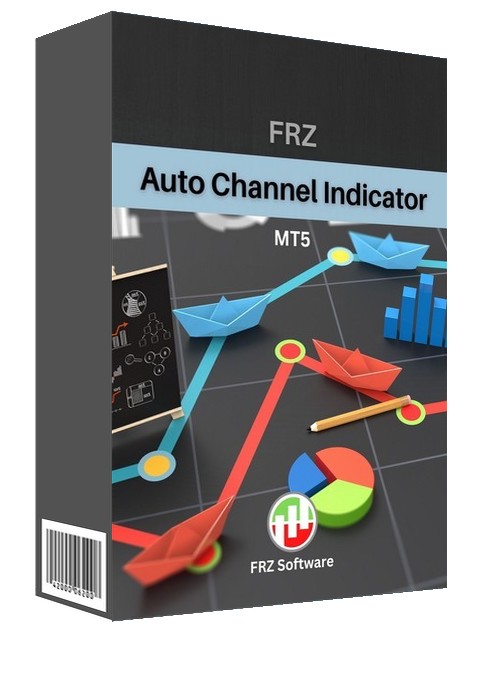
FRZ Auto Channel Indicator for MT4 & MT5
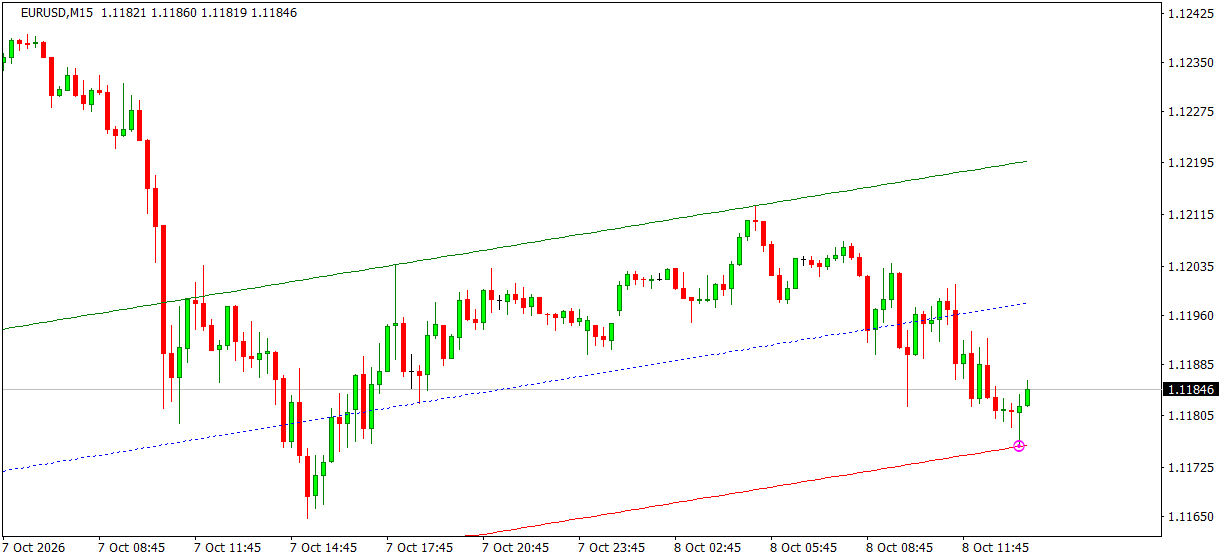
This indicator automatically draws the current trend as a channel on MT4 and MT5. You can adjust the parameters of the channel under settings. It is useful to identify the channel direction and the likely turning points at its edges.
The channel is built from the two most recent swing highs (or lows), with a parallel line through the furthest price on the other side and a dotted middle line. The lines are indicator buffers, so they also appear in the Data Window. A marker shows when a closed candle touches the upper or lower line, and you can get an alert for it.
Screenshot
Specs
| Product name | FRZ Auto Channel Indicator |
| Platform supported | MT4 & MT5 |
| Type | Indicator |
| Timeframes | Any |
| Currency pairs | Any |
Settings
Installation: in MetaTrader, open File > Open Data Folder, copy the .ex4 file into MQL4/Indicators (MT4) or the .ex5 file into MQL5/Indicators (MT5), restart MetaTrader, then drag the indicator from Navigator > Indicators onto your chart. The settings below appear on the indicator’s Inputs tab, numbered the same way.
Channel Settings
- Look Back Bars (default: 240) – how far back the channel is searched for and drawn.
- Swing Strength (0 = automatic) (default: 0) – how many candles on each side a swing high/low must stand out over. 0 picks a value for the chart timeframe (e.g. 12 on H1, 24 on M15).
Alert Settings
- Alert When a Candle Touches the Channel (default: false) – when true, notifies you once when a candle closes after touching the upper or lower line.
- Alert Notification (default: true) – shows a MetaTrader alert popup with the details, pair and timeframe.
- Sound Notification (default: true) – plays a sound with the alert.
- Email Notification (default: false) – sends the alert by email. Set up your email account first under Tools > Options > Email.
- Phone Notification (default: false) – sends a push notification to the MetaTrader mobile app. Enter your MetaQuotes ID under Tools > Options > Notifications first.
Settings 4-7 only apply when setting 3 is switched on.
Display Settings
- Upper Channel Color (default: green).
- Middle Channel Color (default: blue).
- Lower Channel Color (default: red).
- Touch Marker Color (default: magenta).
Recommended Broker & VPS
We recommend using a low-spread broker and a reliable VPS.
- Recommended Broker: IC Markets. If ICMarkets not available in your country, please use IC Trading.
- Recommended VPS Provider: Contabo VPS.
You may contact us on live chat in case you need any support in this regard.
Risk Disclaimer
Trading in financial markets involves substantial risk and may not be suitable for all investors. Our software is provided “as is” without any guarantee of profit. You are advised to test thoroughly on demo accounts before trading live. Please review our full terms and conditions before purchasing.




Chame J –
Good; I like its functionality
Nicholas –
FRZ is the best!
Tyler –
Nice tool.
Hayden –
Couldn’t be happier!
Lucas –
This is cool – thanks
Michael H –
Like its features, using it for a week
Bryan Kane –
Thank you for support
Alan H –
super easy and it does the job
Kevin –
Hope to see your improvement over time
Matthew –
So far so good..
Robert E –
Best one I have used for sure
Kayden –
A promising product, worth trying
Paul –
Probably the best of its kind
Samuel –
Good service.
Ryker –
Doing well so far
Aiden –
Really appreciate…!
Julian –
Really good
David –
Just installed… looking good
Edward –
This works fine!
Isaac –
Very useful – thanks for support
Jackson –
Very well worth the money.
Phoenix –
Great
Charles Hari –
So far so good…
Ryan –
Thank you for installation support
Leo Menas –
I like it..
Max Walter –
Using it on live trading. thanks
Riley A –
Using it for few weeks; doing fine
Aadarsh K –
it works!
Nolan –
Nice tool.
John S –
Think this could be a potential item in the future
Owen –
FRZ is the best!
Angel Hans –
Like its features, using it for a week
Mateo –
Couldn’t be happier!
Zohar –
super easy and it does the job
Camden –
Thank you for support
Avery –
This is cool – thanks