
Description
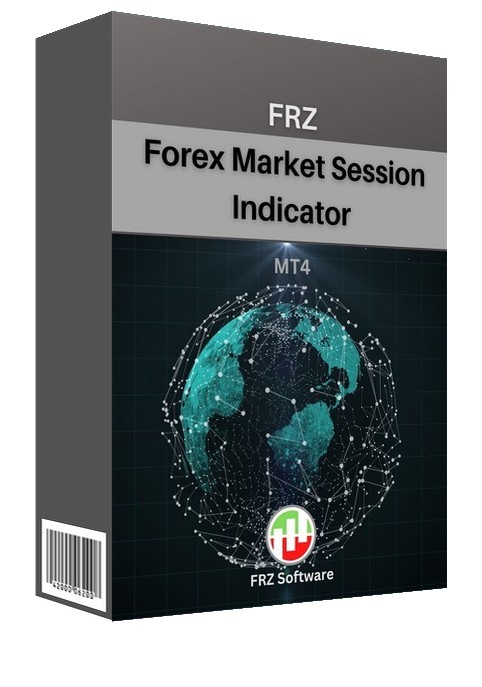
FRZ Forex Market Session Indicator for MT4 & MT5
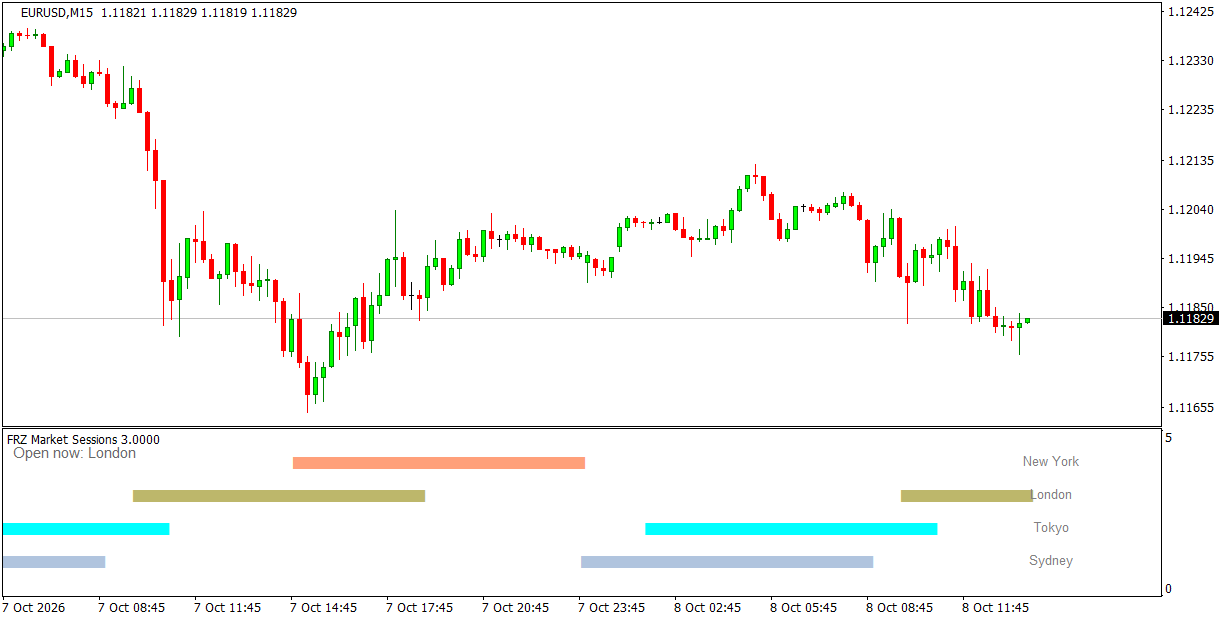
This indicator shows the forex market sessions of all major markets: Sydney, Tokyo, London and New York. It shows the active markets in a secondary window in an easy to use pattern – one coloured row per market, filled while that market is open – with the names of the markets open right now in the top-left corner.
Session times are set in GMT and converted to your broker’s server time automatically (or with an offset you enter), so they can be adjusted to any broker. Overlaps such as London and New York, when volatility is usually highest, are easy to spot, and you can get an alert when a session opens.
Screenshot
Specs
| Product name | FRZ Forex Market Session Indicator |
| Platform supported | MT4 & MT5 |
| Type | Indicator (separate window) |
| Timeframes | Any intraday timeframe |
| Currency pairs | Any |
Settings
Installation: in MetaTrader, open File > Open Data Folder, copy the .ex4 file into MQL4/Indicators (MT4) or the .ex5 file into MQL5/Indicators (MT5), restart MetaTrader, then drag the indicator from Navigator > Indicators onto your chart. The settings below appear on the indicator’s Inputs tab, numbered the same way.
Session Times (GMT)
- Sydney Open (GMT) (default: 21:00).
- Sydney Close (GMT) (default: 06:00).
- Tokyo Open (GMT) (default: 23:00).
- Tokyo Close (GMT) (default: 08:00).
- London Open (GMT) (default: 07:00).
- London Close (GMT) (default: 16:00).
- New York Open (GMT) (default: 12:00).
- New York Close (GMT) (default: 21:00). Times use HH:MM format; a session may cross midnight (e.g. Sydney 21:00 to 06:00). The defaults follow summer time in Europe and the US; in winter, move London and New York one hour later.
- Broker Server GMT Offset (hours, 99 = automatic) (default: 99) – 99 works out your broker’s offset from the terminal clock. If the rows look shifted, enter the offset yourself, e.g. 3 for a GMT+3 server.
Alert Settings
- Alert When a Session Opens (default: false) – when true, notifies you when each market session opens.
- Alert Notification (default: true) – shows a MetaTrader alert popup with the details, pair and timeframe.
- Sound Notification (default: true) – plays a sound with the alert.
- Email Notification (default: false) – sends the alert by email. Set up your email account first under Tools > Options > Email.
- Phone Notification (default: false) – sends a push notification to the MetaTrader mobile app. Enter your MetaQuotes ID under Tools > Options > Notifications first.
Settings 11-14 only apply when setting 10 is switched on.
Display Settings
- Sydney Color (default: light steel blue).
- Tokyo Color (default: aqua).
- London Color (default: dark khaki).
- New York Color (default: light salmon).
- Max History Bars (default: 2000) – how many candles are drawn when the indicator loads. Set 0 for the full history.
Recommended Broker & VPS
We recommend using a low-spread broker and a reliable VPS.
- Recommended Broker: IC Markets. If ICMarkets not available in your country, please use IC Trading.
- Recommended VPS Provider: Contabo VPS.
You may contact us on live chat in case you need any support in this regard.
Risk Disclaimer
Trading in financial markets involves substantial risk and may not be suitable for all investors. Our software is provided “as is” without any guarantee of profit. You are advised to test thoroughly on demo accounts before trading live. Please review our full terms and conditions before purchasing.
Yuat –
Is this free? Is there a limit?
ForexRobotz –
Free forever
Saman S –
This is exactly what I need, thanks