
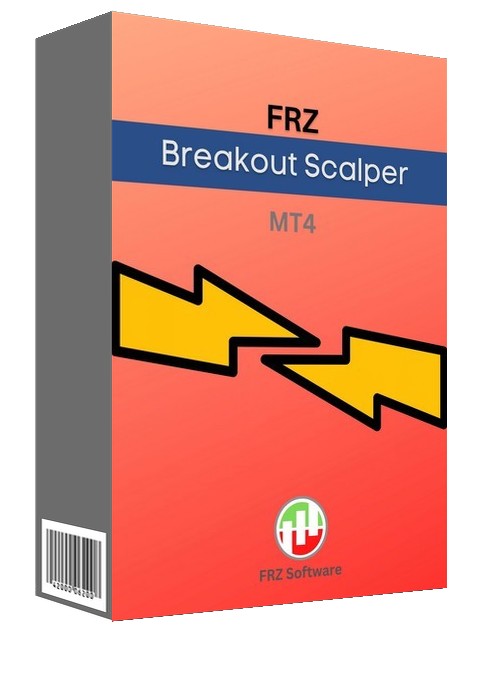
FRZ Breakout Scalper MT4 is an expert adviser (EA) that trades quick price breakouts. The logic behind it is simple. It looks at the speed of the price movement to make entries. For instance, if the price goes up by 10 pips in 5 seconds, then EA recognizes it as a bullish breakout and would place a buy trade. You can customize the exact recognition criteria for breakouts under settings.
The pro version includes the following additional features for more control on the behaviour of the EA:
- Allow any timeframe
- High impact news filter
- Support & resistance filter
- Combined trailing stop
- Customizable DCA trade limit
- Max concurrent pairs
- Avoid related pairs
- Max equity DD % allowed
- EA start – stop time
We recommend a ECN/raw spread broker with a VPS with a low latency to your brokers’ server.
EA Specs
| Product name | FRZ Breakout Scalper |
| Platform supported | MT4 |
| Time frames supported | One-minute chart (free) Any timeframe (Pro). However, timeframe might not have much impact on the performance. |
| Supported pairs | EA works with any forex pair. Major pairs can be recommended with default settings. |
| Minimum deposit required | Minimum $200 (on 500:1 leverage) |
| Lot sizing | 0.01 lot for each $200 in the account per pair (Aggressive mode) 0.01 lot for each $500 in the account pair (Normal Mode)Above are considering 500:1 leverage. |
| Recommended broker | Any broker with low spread (ECN/Raw spread account is necessary). We can recommend ICMarkets. You can use our IB code: 23649 to receive a 30% lifetime discount from IC Markets on spreads/commissions. |
| Current version | 5.0 |
Video Introduction (This is based on an older version).
Settings
Please refer to the user manual on the knowledge base for details on the settings.
Please note that the past performance of any trading system is not necessarily indicative of future results. Full terms and conditions are given here


Dumona Jai –
Works well so fat. took 4 trades in a week with $273 profit.
Wenas –
Does it trade news events?
ForexRobotz –
Yes it trades any breakout
Lulan –
can i use it on any timeframe?
ForexRobotz –
One minute chart only
Perara Manun –
How much profit can it make?
ForexRobotz –
check out the backtest reports
Freddie Gorecki –
Worked really good. It captures any spike in charts be it news or anything. Makes some good profit with it. Thanks for support.
John Benton –
Great! it takes all sudden spikes. Make sure you have an ECN broker with fast execution
David Garner –
It made some losses initially but recovered soon enough. Well done! Thanks for the support
Myke Doner –
Simple logic but effective
Christopher D –
Thanks. One week – made $300!
Evgeny Firsov –
Hi, it looks great so far. I’ve noticed that you usually let set fixed lot per trade. Would be very helpful to make it a %’ge of current balance, so it will compound automatically. So instead of lot size you enter %’ge. Just a suggestion. Thanks.
ForexRobotz –
Thank you. We may add this option in the next update
YEO SEE HOWE –
can this robot use to trade the XAU USD pair?
ForexRobotz –
Yes
YEO SEE HOWE –
hi, I had just brought the breakout EA, can I check what is the recommended account size to use this EA?
ForexRobotz –
Any account size ok but lot size to be decided based on your account size. E.g. if you have less than $250, then 0.01 lot size is ok
Andy –
Is not possible to use it on the Daily chart?
On the tester, it scalps better on the higher time frame or is there something wrong with my MT4.
ForexRobotz –
It is designed for one minute chart but if you want we can enable daily chart too with no additional cost
wawan nento –
ok
Abugan jr Jayar –
Can i use these i to live account
ForexRobotz –
yes
shahrul –
nice
Lenox Green –
I have been using the FRZ Breakout Scalper for a few weeks now. This is an excellent EA and gives good profits. I recommend reducing the Max Concurrent Trades Per Pair down to 6 in order to reduce risk. EA works well on major pairs with fast VPS and Raw account, the recommended IC Markets account works very well with this EA.
Ron Sa –
Very nice product.
Ron Sa –
EA works very well! Maybe some better setting for TP and or Breakeven.. These are very tight and close with almost no profit (when more trades are open and goes for break even)
srdjanmiljkovic018 –
Why does the loWhy does the lot increase not work for me?t increase not work for me?
Youngs Tiew –
I just installed the EA and run on demo account, entry is not triggered although price moves >10 pips in <5 seconds during CPI announcement just now. May I know if I installed in wrongly?
Bobe –
Can you share the best settings so far for xauusd, because even if I set it up to have 20pips stoploss somehow it always closes with 10pips stoploss, what do I do wrong? Thank you
Abdo Saeed –
Can any one tell us what the best set of this expert with amount deposit and lot ?
ivan ivanov –
i have just started the EA for maybe 30 mins now and it opened 14 trades and only 1 was loss ,so the rate is good ,will see how will go the next days ,I will give it a month of work before i start a real account. Just for some reason it didnt open any trades on a backtest btw this is all on XAUUSD
Thank you very much for this amazing free EA ,you are good people for giving it free!
ivan ivanov –
hello lads ,Im trading with this EA for about 24 hours now with the default settings and the win rate is really about 90% but im in a little loss just because… Im trading with 300 dollars demo account leverage 1:30 with 0.01 lot but i have 14 cents comission per every trade and a lot of my trades has profit but its less than the comission ,so I end up with a little loss and the problem is that i tried to change some settings like TP points and trailing stop but it feels like it still trades the same way ,can somebody give me some advise what can i do or get me a settings file or I better try IC markets? Please help fellas!
nicholas bagnall –
great EA 🙂 whats best settings for gold ?