
Description
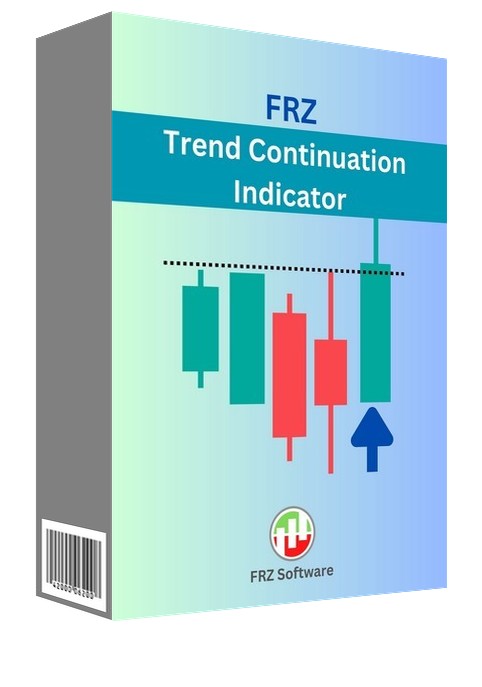
FRZ Trend Continuation Indicator for MT4 & MT5
FRZ Trend Continuation Indicator is a trend following indicator for MT4 and MT5. It is designed to help traders identify the continuation of a trend, providing valuable information for making trading decisions. It uses a combination of price pattern and momentum to identify the strength and direction of a trend, and plots an arrow on the chart that shows the direction.
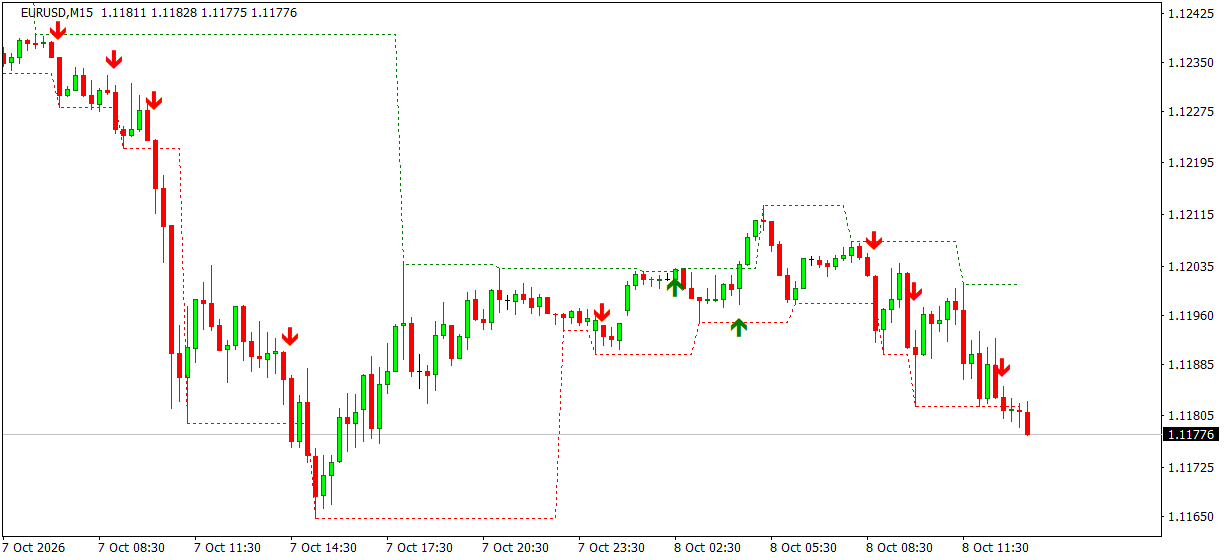
The indicator tracks the latest confirmed swing high and swing low as dotted lines. A buy arrow appears when a candle dips below the swing-high line and closes back above it; a sell arrow appears when a candle pokes above the swing-low line and closes back below it. Swing points are only used once they are confirmed and signals are decided on closed candles, so arrows never move or disappear.
It works on any timeframe, so you can use it for both short-term and long-term trading strategies, with popup, sound, email and phone alerts.
Screenshot
Specs
| Product name | FRZ Trend Continuation Indicator |
| Platform supported | MT4 & MT5 |
| Type | Indicator |
| Timeframes | Any |
| Currency pairs | Any |
| Signals | Non-repainting, on closed candles |
Settings
Installation: in MetaTrader, open File > Open Data Folder, copy the .ex4 file into MQL4/Indicators (MT4) or the .ex5 file into MQL5/Indicators (MT5), restart MetaTrader, then drag the indicator from Navigator > Indicators onto your chart. The settings below appear on the indicator’s Inputs tab, numbered the same way.
Signal Settings
- Max History Candles (default: 500) – how many past candles are shown with lines and arrows.
- Swing Depth (candles) (default: 6) – a swing high (low) must be the highest (lowest) of this many candles before it. Larger values pick only bigger swings and give fewer, stronger signals.
- Swing Confirmation (candles) (default: 3) – how many candles after a swing point must stay below (above) it before the swing line is drawn. A higher value confirms swings later but more reliably.
- Show Swing Lines (default: true) – show or hide the dotted swing high and swing low lines.
Alert Settings
- Buy Signal Alerts (default: true) – send notifications for buy arrows.
- Sell Signal Alerts (default: true) – send notifications for sell arrows.
- Popup Alert (default: true) – shows a MetaTrader alert popup.
- Sound Alert (default: true) – plays a sound with the alert.
- Email Alert (default: false) – sends the alert by email. Set up your email account first under Tools > Options > Email.
- Phone Notification (default: false) – sends a push notification to the MetaTrader mobile app. Enter your MetaQuotes ID under Tools > Options > Notifications first.
Display Settings
- Buy Arrow / Swing High Line Color (default: green).
- Sell Arrow / Swing Low Line Color (default: red).
- Arrow Size (default: 2) – arrow thickness, from 1 to 5.
Recommended Broker & VPS
We recommend using a low-spread broker and a reliable VPS.
- Recommended Broker: IC Markets. If ICMarkets not available in your country, please use IC Trading.
- Recommended VPS Provider: Contabo VPS.
You may contact us on live chat in case you need any support in this regard.
Risk Disclaimer
Trading in financial markets involves substantial risk and may not be suitable for all investors. Our software is provided “as is” without any guarantee of profit. You are advised to test thoroughly on demo accounts before trading live. Please review our full terms and conditions before purchasing.

Jonathon P –
It works well. Thank you for the free indi
Ireneusz Głodek –
Which of your EA uses this indicator?
Ireneusz Głodek –
signals appear but push notifications seem not to work properly. I have a dozen or so charts open with different currencies and in different time frames. there is an active indicator on each of them. the arrows appear correctly, but the alarm seems to be inactive.