
Description
FRZ Fibonacci Auto Drawer for MT4 & MT5
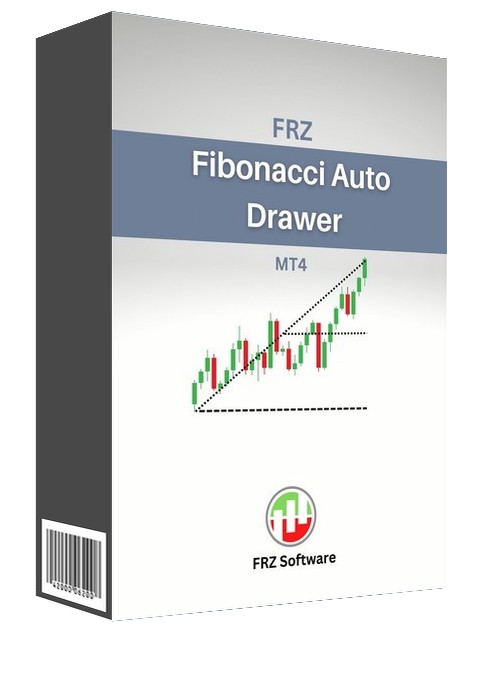
FRZ Fibonacci Auto Drawer (Fibonacci Indicator for MT4 and MT5) automatically plots the Fibonacci retracement levels. Fibonacci levels can be very important to identify the potential reversal points in a trend. The indicator provides several settings that can be customized as per the user requirement.
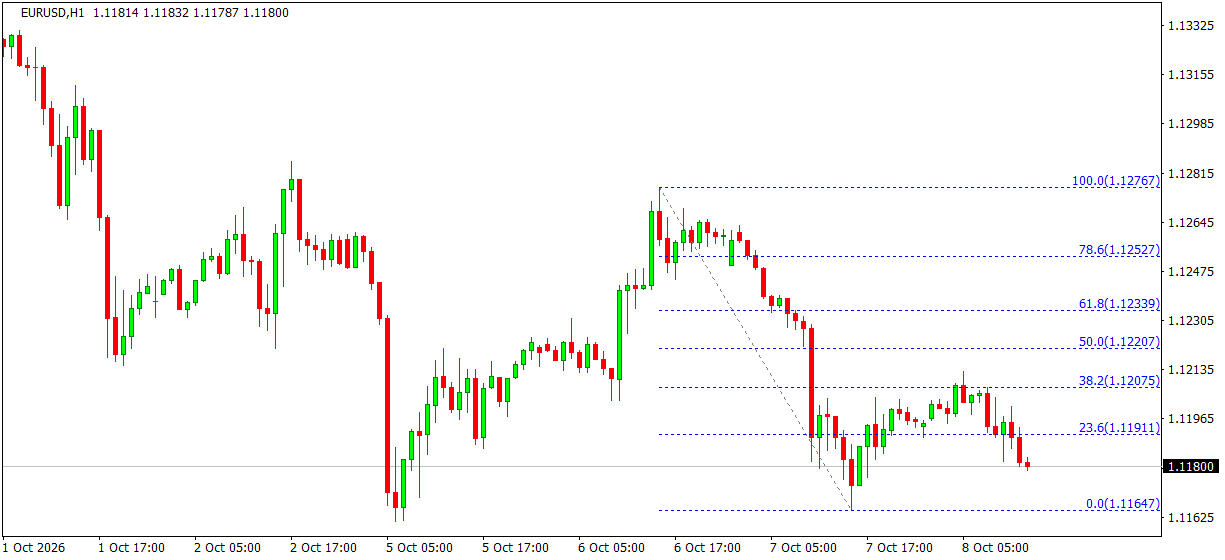
It finds the most recent swing high and swing low within the candles you choose, draws the Fibonacci from the older swing to the newer one and keeps it updated as each new candle closes. Each level shows its percentage and price.
How to use: one great way to use this Fibonacci indicator is to identify the potential support and resistance levels and then check if they line up with Fibonacci retracement levels. If Fibonacci retracement levels are already support and resistance levels, and you can combine them with other price areas that many other traders are watching, then the likelihood of price bouncing from those areas could be expected.
Screenshot
Specs
| Product name | FRZ Fibonacci Auto Drawer |
| Platform supported | MT4 & MT5 |
| Type | Indicator |
| Timeframes | Any |
| Currency pairs | Any, including gold, indices and crypto |
Settings
Installation: in MetaTrader, open File > Open Data Folder, copy the .ex4 file into MQL4/Indicators (MT4) or the .ex5 file into MQL5/Indicators (MT5), restart MetaTrader, then drag the indicator from Navigator > Indicators onto your chart. The settings below appear on the indicator’s Inputs tab, numbered the same way.
Fibonacci Settings
- Candles to Look Back (default: 24) – how many candles are searched for the swing high and swing low. Use a larger number (e.g. 100) to measure a bigger move.
- Last Candle (0 = most recent) (default: 0) – move the measuring window back in time; for example, 50 draws the Fibonacci of the move that ended 50 candles ago.
- Show 127.2% and 161.8% Extensions (default: true) – also draw the two extension levels beyond the swing.
Display Settings
- Fibonacci Level Color (default: blue) – colour of the level lines and labels.
- Swing Line Color (default: gray) – colour of the diagonal line joining the two swing points.
- Level Line Style (default: dotted) – line style of the levels.
Recommended Broker & VPS
We recommend using a low-spread broker and a reliable VPS.
- Recommended Broker: IC Markets. If ICMarkets not available in your country, please use IC Trading.
- Recommended VPS Provider: Contabo VPS.
You may contact us on live chat in case you need any support in this regard.
Risk Disclaimer
Trading in financial markets involves substantial risk and may not be suitable for all investors. Our software is provided “as is” without any guarantee of profit. You are advised to test thoroughly on demo accounts before trading live. Please review our full terms and conditions before purchasing.
Huma –
Does it support any timeframe?
ForexRobotz –
yes
Panek Kanei –
Useful. thanks